Nobody Updates the Router. The FBI Says Criminals Are Living in the Old Ones.
In This Series: Fraud & Digital Security
- Your Voice Is No Longer Proof That It Is You
- A Credit Freeze Blocks the Rarer Kind of Identity Theft. Here Is What Blocks the Rest.
- Four Points Identify You. That Is Why Your Location Is Worth Selling.
- The Two-Factor Code on Your Phone Will Not Stop This
- Changing Your Password Every 90 Days Made It Easier to Guess. The Standard That Started the Rule Now Says to Stop.
- They Asked 422 Burglars What Made Them Walk Away. The Locks Did Not Come First.
- Romance Scam Victims Were Better Educated Than People Who Never Fell for One. The Newest Version Never Asks for Money.
- The Same Offer Went From 11% Acceptance to 42%. Only the Buttons Changed.
Disclosure: this article contains affiliate links, marked (paid link). If you buy through one we may earn a commission, at no extra cost to you. As an Amazon Associate I earn from qualifying purchases. It costs you nothing and it does not change what we recommend.
Key takeaways · 12 min read
- The router is an always-on computer exposed to the internet that nobody updates.
- The FBI warned in May 2025 that end-of-life routers are being taken over for criminal proxy networks.
- TheMoon malware needs no password — it scans for an open port and sends a command.
- What attackers want is your residential IP address, so their traffic looks like an ordinary household.
Somewhere in your house there is a small computer that has been switched on continuously for years, is connected directly to the open internet, has never been updated, and is probably still using the password printed on its underside. Nobody thinks of it as a computer. It is the router.
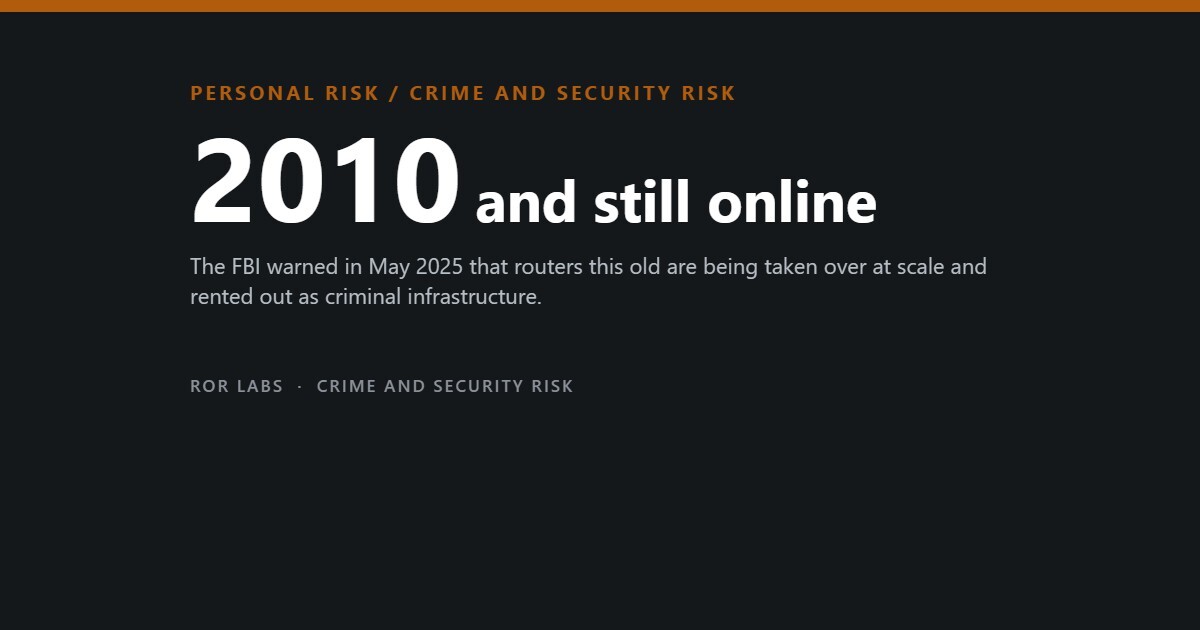
In May 2025 the FBI issued a public alert about exactly this. Routers that have reached end of life — the manufacturer no longer sells them and has stopped issuing security patches, which for many models means anything sold around 2010 or earlier — are being taken over at scale and rented out as criminal infrastructure. The malware involved, a long-running family called TheMoon, does not need to guess your password. It scans for an open port and sends a command.
The interesting part is what the attackers want, because it is not your holiday photos. This article is about the realistic household threat model, the settings that actually change it, and why the one defence that works against ransomware is the boring one nobody sets up.

They are not after your files
Household security advice is written as though every attack is targeted at you personally. Almost none of it is. At the scale these operations run, you are not a victim so much as a resource, and the resource is your residential IP address.
What a compromised home router is actually worth
Why a machine with nothing valuable on it is still a target.
Source: FBI Internet Crime Complaint Center, public service announcement on cyber criminal proxy services exploiting end-of-life routers, 7 May 2025.
The FBI’s recommended fixes are correspondingly unglamorous: replace routers that no longer receive updates, apply firmware patches, turn off remote management, use long unique passwords, and reboot the device after changing anything.
Where the money actually goes

Before the settings, some perspective on scale, because the household version of this risk is not the one that dominates the headlines.
Reported U.S. cybercrime, 2024
Complaints filed with the FBI. Actual totals are higher, because most incidents are never reported.
Source: FBI Internet Crime Complaint Center, 2024 Internet Crime Report.
That second point matters for how you spend your effort. If you have an hour, the fraud-side defences — strong authentication, transaction alerts, a frozen credit file — protect more money than anything you can do to a router. We covered those in our pieces on phishing-resistant authentication and credit freezes. The router is the second hour, not the first.
The eight settings that matter
The U.S. Cybersecurity and Infrastructure Security Agency publishes a home Wi-Fi module aimed at people at elevated risk, and it is the clearest short list available. All of it is free, all of it lives in your router’s admin page, and the whole set takes about twenty minutes once.
What to change, and why it is on the list
CISA home network guidance. Reach the admin page through the address printed on the router or its app.
| Setting | Do this | Why it is here |
|---|---|---|
| Admin password | Change it from the default to something long, random and unique | Default credentials for every consumer model are published online. This is the single most exploited weakness. |
| Firmware updates | Apply them, and turn on automatic updates if offered | Patches close known, published vulnerabilities. An unpatched router is exploited by a script, not a person. |
| Remote management | Turn it off | It exposes the admin page to the whole internet. The FBI alert names it directly as a route into end-of-life devices. |
| Encryption | WPA3 Personal, or WPA2 AES if that is all the router offers | WEP, plain WPA and WPA2 TKIP are broken. If those are your only options, the router is too old to keep. |
| WPS | Turn it off | The push-button pairing shortcut materially increases the chance of unauthorised access. |
| UPnP | Turn it off after setup | Convenient for smart devices, and a mechanism malware uses to spread across your network and open ports outward. |
| Guest network | Create one, with its own password | Put visitors and every smart device on it. Devices there can reach the internet but cannot discover your laptops, phones or network storage. |
| Network name | Change the default; do not include your name, flat number or address | The default name identifies the model to anyone scanning, which identifies the vulnerabilities. |
Source: Cybersecurity and Infrastructure Security Agency (CISA), Project Upskill Module 5, “Securing Your Home Wi-Fi”; CISA home network security guidance.
Two networks, one router
What the guest network actually separates.
Source: CISA, Project Upskill Module 5.
Backups are the only real answer to ransomware
Everything above reduces the chance of being compromised. Nothing above reduces it to zero, and for the one outcome households genuinely fear — your files gone, whether to malware, a failed drive, a theft or a spilled drink — there is exactly one defence that works after the fact.
The standard formulation is the 3-2-1 rule, and its value is that it survives each of the ways a backup normally fails.
3-2-1, and what each number is defending against
The rule exists because most people who thought they had a backup did not.
The detail that ransomware changes: a backup drive left permanently plugged in is not a backup, because malware encrypts it along with everything else. Either unplug it between backups, or use a service that keeps versions so you can retrieve yesterday’s file after today’s got encrypted. A sync folder is not a backup either — sync faithfully replicates the damage.
Sources: CISA and FBI #StopRansomware guidance; standard 3-2-1 backup practice.
What actually helps, in order
Ranked by how much risk each one removes
The first six are free.
Sources: FBI IC3 alert, May 2025; CISA Project Upskill Module 5; CISA home network security guidance.
The two purchases that earn their place (paid link)
Everything else in this article is a setting.
Browse on Amazon →
Browse on Amazon →
Three things we are deliberately not linking. Plug-in “network security” boxes. A device that sits beside your router and promises to inspect all your traffic is adding another unpatched computer to the network in order to protect you from unpatched computers. Most of the category has a poor track record and several products have been abandoned by their makers while still deployed. Router-vendor security subscriptions. They are usually a rebadged threat feed sold monthly, and they do not fix an end-of-life device, which is the actual finding of the FBI alert. Consumer VPNs sold as protection from hacking. A VPN encrypts traffic between you and the VPN company. It does not patch your router, does not stop malware, and does not prevent anyone from compromising a device on your network — and against the specific risk in this article it does nothing at all, because the router is the thing being taken over.
Questions people ask
How do I know if my router has been compromised?
Usually you do not, which is the uncomfortable answer. Proxy malware is designed to be quiet, because a router that stops working gets replaced. Occasional signs include the internet slowing without explanation, settings you did not change, unfamiliar devices in the connected list, or DNS servers you do not recognise. If a router is out of support, treat age as the finding — you do not need evidence of compromise to justify replacing something that can no longer be patched.
Does a factory reset fix it?
Sometimes. A reset plus the latest firmware plus a new admin password clears most consumer router malware, and the FBI alert recommends rebooting after changes. But if the device no longer receives patches, the vulnerability that let the malware in is still there and re-infection is a matter of time. A reset buys days on an unsupported router and years on a supported one.
The router came from my internet provider. Is that different?
Somewhat, and mostly for the better: provider-supplied routers are usually updated remotely by the provider, so the end-of-life problem is less acute. The trade is that you often have less control over the settings, and remote management is enabled by design for the provider’s own use. Ask them how long the model is supported, and if it is more than about six years old ask for a replacement — they are generally willing.
Should a household worry about ransomware specifically?
Less than the coverage implies. The organised ransomware economy targets organisations that can pay six figures and cannot afford downtime. For a household the realistic version is opportunistic malware or, far more often, ordinary hardware failure — and both are answered by the same backup. Build the backup for the drive that dies, and it will happen to cover the rarer case too.
Is antivirus software still worth having?
The protection built into a current, updated operating system is good and it is free. Paid suites add marginal detection and a great deal of upselling, and the largest remaining gap in a normal household is not detection at all — it is an out-of-date device and a person being persuaded to hand over a code. Update everything, and spend the attention on the persuasion problem.
The short version
- The router is an always-on computer exposed to the internet that nobody updates.
- The FBI warned in May 2025 that end-of-life routers are being taken over for criminal proxy networks.
- TheMoon malware needs no password — it scans for an open port and sends a command.
- What attackers want is your residential IP address, so their traffic looks like an ordinary household.
- Check the model against the maker’s support page. No updates means no fix.
- Turn off remote management, change the admin password, update firmware, disable WPS and UPnP.
- Put every smart device on a guest network. It is the highest-value free setting.
- In 2024, U.S. reported cybercrime losses hit $16.6bn — but almost 83% was fraud, not malware.
- Ransomware is mostly an organisational problem. The household version is a lost photo library.
- 3-2-1 backups, with versions, not permanently plugged in. Restore one file a year to prove it works.
This article is general security guidance for households, current as of August 2026. It is not professional security advice for a business, and if you believe a device on your network has been used in a crime, the sensible order is to preserve the device, stop using it on your network, and contact your national reporting body rather than attempting to clean it yourself.
On the links above: some are affiliate links, marked (paid link). If you buy through one we may earn a commission at no additional cost to you. As an Amazon Associate I earn from qualifying purchases. We link to product searches rather than specific items so that recommendations do not break as models change, and we say plainly when we are choosing not to link something. Full policy: Affiliate Disclosure.
Sources
- Federal Bureau of Investigation, Internet Crime Complaint Center. “Cyber Criminal Proxy Services Exploiting End of Life Routers.” Public service announcement, 7 May 2025. (End-of-life devices from around 2010 and earlier; TheMoon malware requiring no password; remote administration as an entry route; proxy networks used to conceal cryptocurrency theft and illegal services; recommended mitigations.)
- Federal Bureau of Investigation, Internet Crime Complaint Center. 2024 Internet Crime Report. ($16.6 billion in reported losses; 859,532 complaints, up 33%; average loss $19,372; 67 new ransomware variants and a 9% rise in ransomware complaints; 147,127 complaints and $4.885 billion in losses among people aged 60 and over; cyber-enabled fraud accounting for nearly 83% of losses.)
- Cybersecurity and Infrastructure Security Agency (CISA). Project Upskill, Module 5: “Securing Your Home Wi-Fi.” (Admin credentials, firmware updates, WPA3 or WPA2 AES, disabling WPS, UPnP and remote management, guest networks, SSID naming.)
- Cybersecurity and Infrastructure Security Agency (CISA). “Home Network Security” guidance and #StopRansomware resources.