Changing Your Password Every 90 Days Made It Easier to Guess. The Standard That Started the Rule Now Says to Stop.
In This Series: Fraud & Digital Security
- Nobody Updates the Router. The FBI Says Criminals Are Living in the Old Ones.
- Your Voice Is No Longer Proof That It Is You
- A Credit Freeze Blocks the Rarer Kind of Identity Theft. Here Is What Blocks the Rest.
- Four Points Identify You. That Is Why Your Location Is Worth Selling.
- The Two-Factor Code on Your Phone Will Not Stop This
- They Asked 422 Burglars What Made Them Walk Away. The Locks Did Not Come First.
- Romance Scam Victims Were Better Educated Than People Who Never Fell for One. The Newest Version Never Asks for Money.
- The Same Offer Went From 11% Acceptance to 42%. Only the Buttons Changed.
Key takeaways · 15 min read
- The composition and expiry rules came from a 2003 NIST appendix whose author has publicly said he regrets it. The standard now tells verifiers not to impose them.
- Rules produced predictable answers: capital first, digit last, exclamation mark, and expiry turned one password into a guessable series.
- Around 88% of attacks on basic web applications used stolen credentials. Guessing is not the threat; reuse is.
- Infostealer malware copies passwords and session cookies straight out of browsers. A stolen cookie can bypass both the password and the second factor.
In this article
- The rule came from one appendix, and its author disowned it
- Why the old rules backfired
- The attack is not guessing. It is reuse.
- Infostealers changed the shape of the problem
- Not all second factors are equal
- What to do, in the order that matters
- The honest problem with password managers
- Questions people ask
- The short version
- Sources
Somewhere in your life there is a password that ends in a number, and that number has been incremented at least once. Summer2024! became Summer2025! because a login screen told you your password had expired and could not be one of your last five. You did what the system asked. You also did exactly what an attacker would predict.
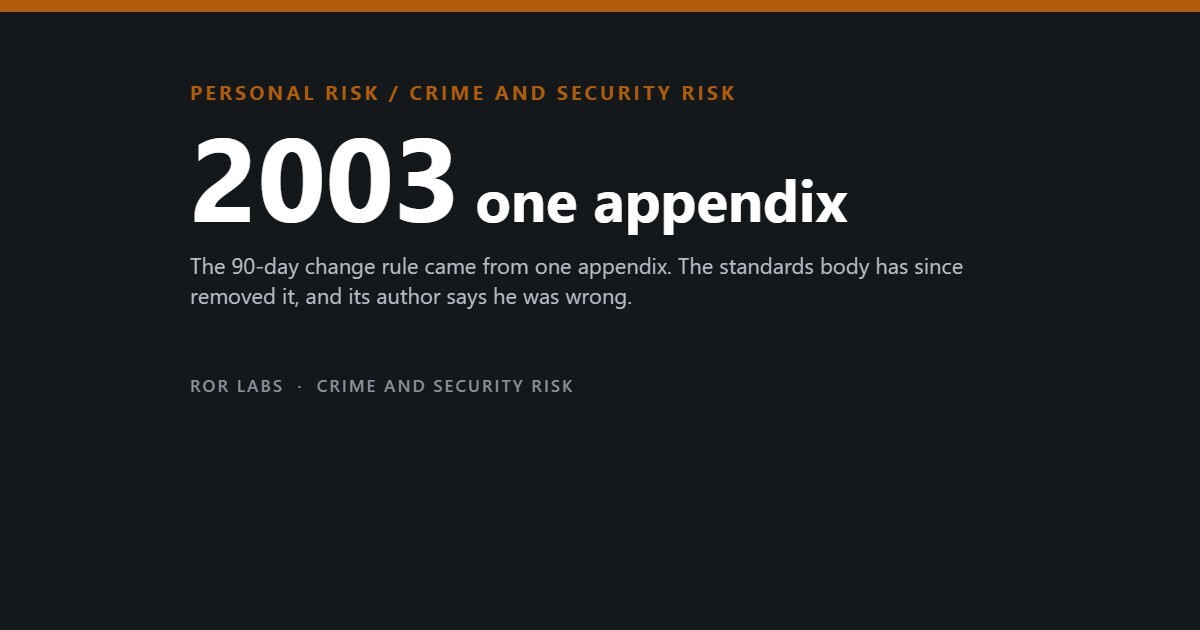
The rule that made you do it — change your password every 60 or 90 days, include an uppercase letter, a number and a symbol — came from a single appendix in a US government document published in 2003. It spread into corporate policy worldwide, into banking, into schools, into hospital systems. Two decades later the standards body that published it has removed the rule, and the man who wrote it has said publicly that he got it wrong.
What replaced it is shorter, stranger and much better supported by evidence. It also points somewhere uncomfortable: for most people, the strength of any individual password is close to irrelevant. The thing that gets accounts taken over is not that a password was guessed. It is that the same password was used somewhere else, or that malware read it straight out of a browser. This is what the research actually shows, what the current standard actually says, and what is worth doing about it — in the order that matters.

The rule came from one appendix, and its author disowned it
In 2003 the US National Institute of Standards and Technology published NIST Special Publication 800-63. An appendix by Bill Burr, then a manager at NIST, recommended password composition rules and periodic expiry. There was very little empirical data available at the time; the appendix leaned on an older, largely theoretical paper about password entropy.
In a 2017 interview with the Wall Street Journal, Burr said of that advice: “Much of what I did I now regret.” By then NIST had already rewritten the guidance. The 2017 revision, SP 800-63B, told organisations to stop imposing composition rules and to stop forcing periodic changes unless there is evidence the password has been compromised. The 2024–25 revision keeps that position and hardens it.
The rules, then and now
What NIST SP 800-63B asks of the systems you log in to. “SHALL NOT” is standards language for a prohibition, not a suggestion.
| Practice | 2003 appendix | Current standard |
|---|---|---|
| Composition rules | Require upper, lower, digit, symbol | Verifiers SHALL NOT impose composition rules |
| Periodic expiry | Change every 60–90 days | Verifiers SHALL NOT require periodic change; force a change only on evidence of compromise |
| Length | Eight characters, often capped low | Minimum eight, at least 64 permitted, spaces and Unicode allowed |
| Breached-password screening | Not mentioned | Compare new passwords against a blocklist of breach corpuses, dictionary words and service-specific terms |
| Password hints | Common | SHALL NOT be offered |
| Security questions | Standard for recovery | Knowledge-based authentication SHALL NOT be used |
| Pasting into the field | Frequently blocked | Should be allowed, so that managers can be used |
Source: NIST Special Publication 800-63B, Digital Identity Guidelines — Authentication and Authenticator Management, current revision and 2017 revision.
Why the old rules backfired

Composition rules and expiry both fail for the same reason: they are constraints applied to a human memory, and humans satisfy constraints in a small number of predictable ways. NIST puts it plainly — research has shown that users respond to composition rules “in very predictable ways”. If a system demands a capital letter, it goes at the front. If it demands a digit, it goes at the end. If it demands a symbol, it is an exclamation mark.
Expiry is worse, because it converts one password into a predictable series. Someone who learns your password from one breach does not need to guess the next one from scratch; they need to guess a transformation. The transformations people actually use are few and well documented.
What the constraints produce
Every one of these is a rule working exactly as designed and producing a worse password.
Source: NIST SP 800-63B rationale on memorized secrets and composition rules.
The attack is not guessing. It is reuse.

Here is the part that reframes everything. Attackers overwhelmingly do not sit and grind against your login screen. Rate limiting — which NIST treats as a primary defence — makes online guessing slow and noisy. What actually happens is that credentials leak from somewhere else and get replayed.
Verizon’s 2025 Data Breach Investigations Report found that around 88% of attacks against basic web applications involved stolen credentials, and that roughly 60% of breaches involved a human element — someone clicking, someone responding, someone reusing. Credential compromise remains the preferred route in, ahead of exploiting software flaws, because it is cheaper and it does not look like an attack from the inside.
The way in
Source: Verizon Data Breach Investigations Report, 2025.
Infostealers changed the shape of the problem
There is a second route that has grown quietly and that most password advice still ignores. Infostealer malware does not guess anything. It runs on a computer — usually after someone installs a cracked game, a fake installer, or a browser extension — and it copies the password store, the autofill data, and the session cookies straight out of the browser. The output is a text file, called a log, and those logs are sold in bulk.
This matters for two reasons. First, a stolen session cookie can let an attacker resume an already-authenticated session without the password or the second factor. Second, the logs show what is actually sitting in ordinary people’s browsers.
What is inside a stolen browser password store
Share of infostealer logs offered on darknet markets containing each credential type.
Source: infostealer log analysis cited in the Verizon Data Breach Investigations Report, 2025.
The scale of the consequence showed up in the 2024 Snowflake-related intrusions, where roughly 80% of the compromised accounts had prior credential exposure — credentials that were already sitting in circulation before the incident began. Nobody had to break anything.
Not all second factors are equal
“Turn on two-factor authentication” is good advice that hides an important distinction. A code you can read, type or repeat is a code you can also be tricked into handing to someone else. A modern phishing page proxies your login in real time: you enter the password, it forwards it, the real site sends you a code, you enter the code, the page forwards that too, and the attacker walks away with a live session. The second factor was used. It just was not used by you.
Google, working with researchers at New York University and the University of California San Diego, measured how much different second factors actually blocked. The gap opens where it matters most — targeted attacks aimed at a specific person.
How much each second factor blocked
Share of account-takeover attempts prevented, by attack type.
Source: Google, New York University and University of California San Diego, account protection research published May 2019.
The strongest single data point on this is not a percentage. In early 2017 Google required all of its more than 85,000 employees to use physical security keys instead of codes. In the period reported afterwards, not one employee account was successfully phished. The mechanism is not that the key is a better secret. It is that the key checks which website is asking before it answers, so a look-alike domain gets nothing.
What to do, in the order that matters
Almost none of this costs money, and the ordering is the useful part. Doing step four while skipping step one is the common mistake.
Five steps, cheapest first
| Step | Why it is in this position |
|---|---|
| 1. Make your email password unique | Every other account resets through email. If one password is going to be unique and long, this is the one. A compromised inbox makes every other precaution ornamental. |
| 2. Turn on the strongest second factor your email offers | An app prompt or a passkey beats an SMS code. SMS is still far better than nothing — it blocked 96% of bulk phishing in the Google study — but it is the weakest of the options. |
| 3. Stop reusing passwords anywhere that matters | Reuse is the mechanism behind credential stuffing. This is why a password manager exists: not to make each password stronger, but to make each password different. |
| 4. Switch on passkeys where they are offered | A passkey is a key pair stored on your device. It cannot be typed, read out or phished onto a look-alike site, because the device checks the domain before it responds. |
| 5. Add a physical key to the two accounts that unlock everything | Your email and your password manager. This is the only step that costs anything. |
Sources: NIST SP 800-63B; Google, NYU and UCSD account protection research, 2019.
A FIDO2 security key
This is the one product in this article with a hard outcome behind it rather than a plausible mechanism.
See FIDO2 security keys on Amazon (paid link)
Register the key on your email account and your password manager first. Those two are the accounts that can reissue everything else. Keep the second key somewhere other than your bag.
The honest problem with password managers
Putting every password in one place concentrates risk, and that risk is not hypothetical. In 2022 LastPass disclosed that attackers had taken customer vault data. The vault contents were encrypted, but an encrypted vault sitting on an attacker’s machine can be attacked offline, without rate limiting, for as long as they like. Users with short or reused master passwords were in real trouble; users with long ones were not.
That episode is the strongest argument against managers and it is worth stating plainly rather than skipping. It is also, on the numbers, still an argument for using one. The alternative to a manager is not a set of strong memorised passwords; the realistic alternative is reuse, and reuse is the mechanism behind the large majority of account takeovers. What the LastPass breach actually changes is how you use a manager: a long master passphrase — several unrelated words, not a word with substitutions — and a second factor on the vault itself.
Five things sold as password security that we are not recommending
We have no financial relationship with any password manager, and we are not naming one. The choice matters much less than whether you use any of them.
Questions people ask
My workplace still forces a change every 90 days. Am I supposed to argue?
You are unlikely to win that argument, and it is not the fight worth having. Comply, but stop letting the forced change drive your personal accounts, and avoid making the work password a variant of anything you use elsewhere. If you are in a position to raise it, the current NIST guidance is the citation: periodic change is to be required only on evidence of compromise. Many organisations keep the rule because an old compliance checklist says so, not because anyone re-read the standard.
Is a passphrase like “correct horse battery staple” actually good?
The principle is right — length from several unrelated words beats complexity theatre, and NIST explicitly allows spaces and long inputs so that phrases work. The specific example is not, because it became famous. Anything that has appeared in a widely shared illustration is in the cracking dictionaries. Use unrelated words your own brain produced, and use a phrase only where you genuinely have to memorise it: your device unlock, your password manager, perhaps your email.
If I use a passkey, do I still need a password?
Usually yes, for now. Most services keep the password as a fallback and as a recovery path, which means the password is still an attack surface even when you never type it. That is an argument for making it long and unique and then forgetting it inside a manager, not for skipping it. It is also worth removing SMS as a recovery option on accounts where a passkey or app prompt is available, because attackers target the weakest enabled method, not the strongest.
What should I actually do after a breach notification?
Change that password, and then change it everywhere you reused it — that second part is the one that matters and the one people skip. Then check whether any active sessions should be signed out; most major services have a “sign out of all devices” control, which is the only thing that invalidates a stolen session cookie. If the breached service held your email address and you used the same password on your email, treat the email account as the emergency, not the breached service.
Are my browser’s built-in saved passwords good enough?
They solve the reuse problem, which is most of the benefit, and modern browsers encrypt the store at rest. The weakness is exactly the one described above: infostealer malware is written specifically to read browser credential stores and session cookies. A dedicated manager that stays locked until you unlock it, with a second factor on the account, is a meaningfully smaller target. If browser storage is what you will actually use, use it — it beats reuse by a wide margin — but do not also leave your email password in it.
The short version
- The composition and expiry rules came from a 2003 NIST appendix whose author has publicly said he regrets it. The standard now tells verifiers not to impose them.
- Rules produced predictable answers: capital first, digit last, exclamation mark, and expiry turned one password into a guessable series.
- Around 88% of attacks on basic web applications used stolen credentials. Guessing is not the threat; reuse is.
- Infostealer malware copies passwords and session cookies straight out of browsers. A stolen cookie can bypass both the password and the second factor.
- Second factors are not equal. Against targeted attacks: recovery phone 66%, SMS 76%, on-device prompt 90%. Users relying only on physical keys were not successfully phished.
- Order of operations: unique email password → strongest second factor on email → stop reusing → passkeys where offered → a physical key on email and the password vault.
- Length beats complexity. A blocklist check beats a strength meter. Different beats strong.
This article summarises published security standards and industry breach research. It is general information, not a security assessment of your particular accounts or organisation, and it is not advice about any specific product. Where figures come from vendor-published reports rather than peer-reviewed studies, we have said so; those reports describe the incidents their authors investigated and are not random samples of the world.
Further reading: A Hacker’s Mind — Bruce Schneier (W. W. Norton, 2023). The same author’s newer book, on how systems never meant to be safety-critical keep becoming safety-critical anyway — the mechanism behind an attack like this one, more than personal password hygiene. Find it on Amazon (paid link)
On the links above: some are affiliate links, marked (paid link). If you buy through one we may earn a commission at no additional cost to you. As an Amazon Associate I earn from qualifying purchases. We link to product searches rather than specific items so that recommendations do not break as models change, and we say plainly when we are choosing not to link something. Full policy: Affiliate Disclosure.
Sources
- NIST Special Publication 800-63B, Digital Identity Guidelines: Authentication and Authenticator Management, National Institute of Standards and Technology. (Prohibition on composition rules and periodic expiry; minimum and maximum length; blocklist screening against breach corpuses and dictionary words; prohibition on hints and knowledge-based authentication; rate limiting as primary defence against online guessing.)
- NIST Special Publication 800-63 (2003), Appendix A, and subsequent public comments by its author reported in the Wall Street Journal, August 2017. (Origin of the composition and expiry recommendations and the author’s stated regret.)
- Verizon, 2025 Data Breach Investigations Report. (Approximately 88% of basic web application attacks involving stolen credentials; approximately 60% of breaches involving a human element; infostealer log composition of 62% social media, 49% gaming, 44% streaming and 17% banking; approximately 80% of accounts compromised in the Snowflake-related intrusions having prior credential exposure.)
- Google Security Blog, “New research: How effective is basic account hygiene at preventing hijacking”, May 2019, with researchers from New York University and the University of California San Diego. (100% of automated bot attacks blocked by all three methods; bulk phishing blocked at 99% by recovery phone, 96% by SMS and 99% by on-device prompt; targeted attacks blocked at 66%, 76% and 90% respectively; no users relying exclusively on security keys were successfully phished.)
- Google’s internal deployment of physical security keys to more than 85,000 employees from early 2017, and the absence of successful employee phishing reported afterwards.
- LastPass security incident disclosures, 2022. (Exfiltration of customer vault data and the resulting offline attack risk to weak master passwords.)